
Personality quizzes, collectible pets and glowing star maps are some of the easiest themes to make fun on Roblox, and the zodiac ties all three together. Twelve signs give you twelve pets, twelve stages or twelve quiz results, and players love finding "their" sign.
This guide covers zodiac game ideas that work well on Roblox, how to get the astrology details right so fans don't call you out, how to build a friendship compatibility mechanic in Luau, and the privacy rules that matter more than any feature.
Zodiac Game Ideas That Work on Roblox
| Idea | How it plays | Why it works |
|---|---|---|
| Personality quiz | Ten questions decide which sign's "power" a player gets | Quick to finish, fun to share with friends |
| Constellation obby | Each of the 12 stages is shaped like a constellation | A built-in theme and progression path |
| Zodiac pet simulator | Hatch and collect a pet for every sign | Twelve collectibles, plus rare variants |
| Team compatibility minigame | Two friends pick their signs and get a "team synergy" result | Social, replayable, great for party servers |
| Planetarium hangout | A space-themed social hub with a rotating star dome | Relaxing, and easy to update with seasonal events |
Keep the tone light. These games work best when the zodiac is flavor for gameplay, not fortune-telling.
Get the Astrology Details Right
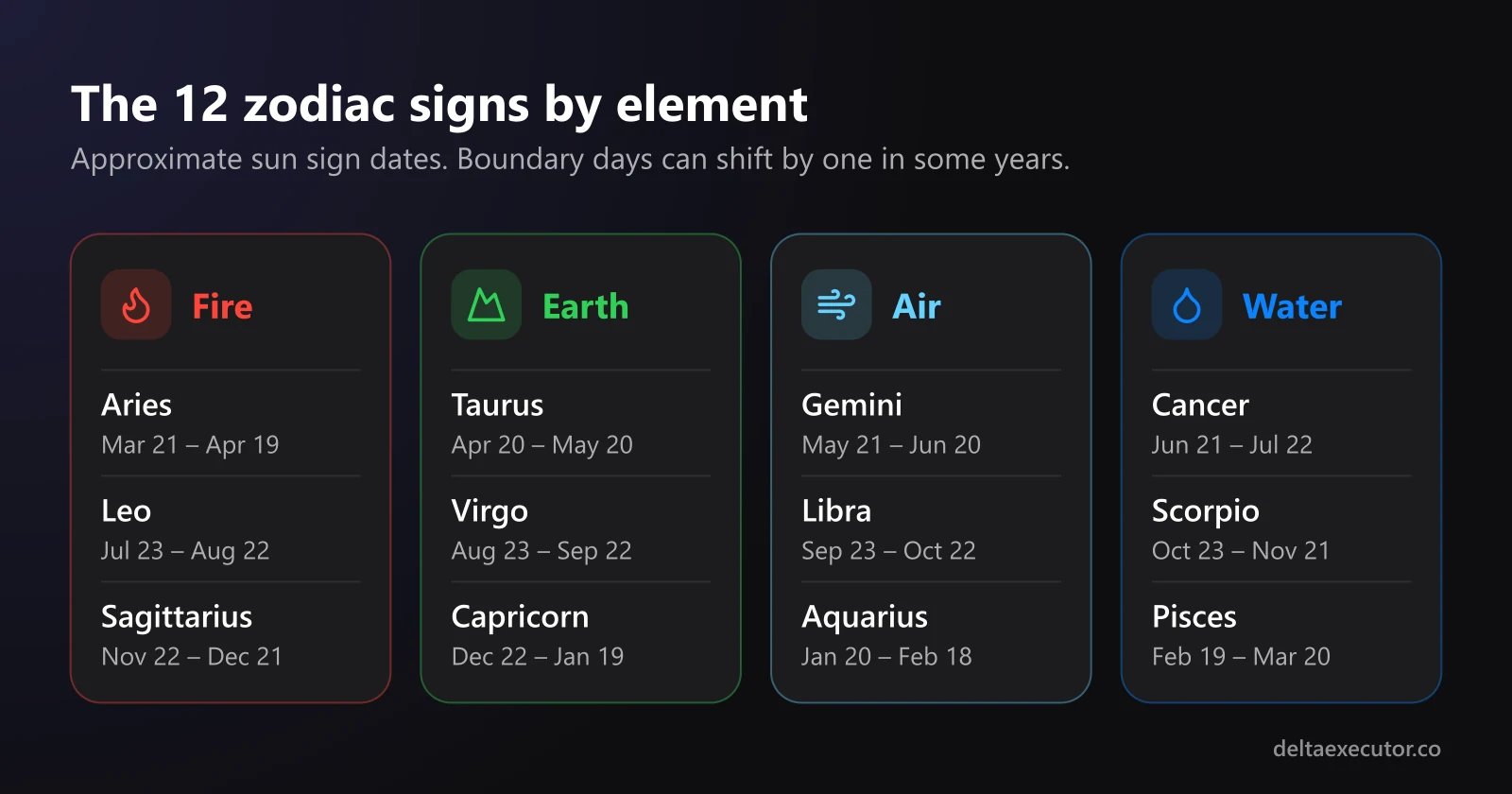
Astrology fans notice mistakes quickly, and a wrong date or element in your game turns into comments and bad reviews. The basics fit in one table.
| Sign | Approximate dates | Element |
|---|---|---|
| Aries | March 21 – April 19 | Fire |
| Taurus | April 20 – May 20 | Earth |
| Gemini | May 21 – June 20 | Air |
| Cancer | June 21 – July 22 | Water |
| Leo | July 23 – August 22 | Fire |
| Virgo | August 23 – September 22 | Earth |
| Libra | September 23 – October 22 | Air |
| Scorpio | October 23 – November 21 | Water |
| Sagittarius | November 22 – December 21 | Fire |
| Capricorn | December 22 – January 19 | Earth |
| Aquarius | January 20 – February 18 | Air |
| Pisces | February 19 – March 20 | Water |
The boundary dates shift by a day in some years, which is why you'll see slightly different ranges online. In a game, it's safer to let players pick a sign than to calculate it.
A sun sign is only one part of a full birth chart. Astrologers also look at the Moon sign, the rising sign and every planet's position, all calculated from a person's exact birth date, time and place. If you want to see what a complete chart looks like before designing your UI, AstroChart's free birth chart and astrocartography tools show the full picture: chart wheels, planetary placements, and astrocartography maps that draw each planet's lines across a world map.
That last one is good inspiration for game design. A world map crossed by glowing planet lines works well as a hub where each line leads to a different zone or quest.
Designing a Team Compatibility Mechanic
Compatibility is the feature players share most, because it involves a friend. Real astrology handles it with synastry: placing two people's birth charts side by side and reading the angles, called aspects, between their planets. To see how that looks in practice, SynastryChart's free synastry calculator compares two charts and lists every aspect between them. It also covers friendship compatibility, which is the angle your game should take.
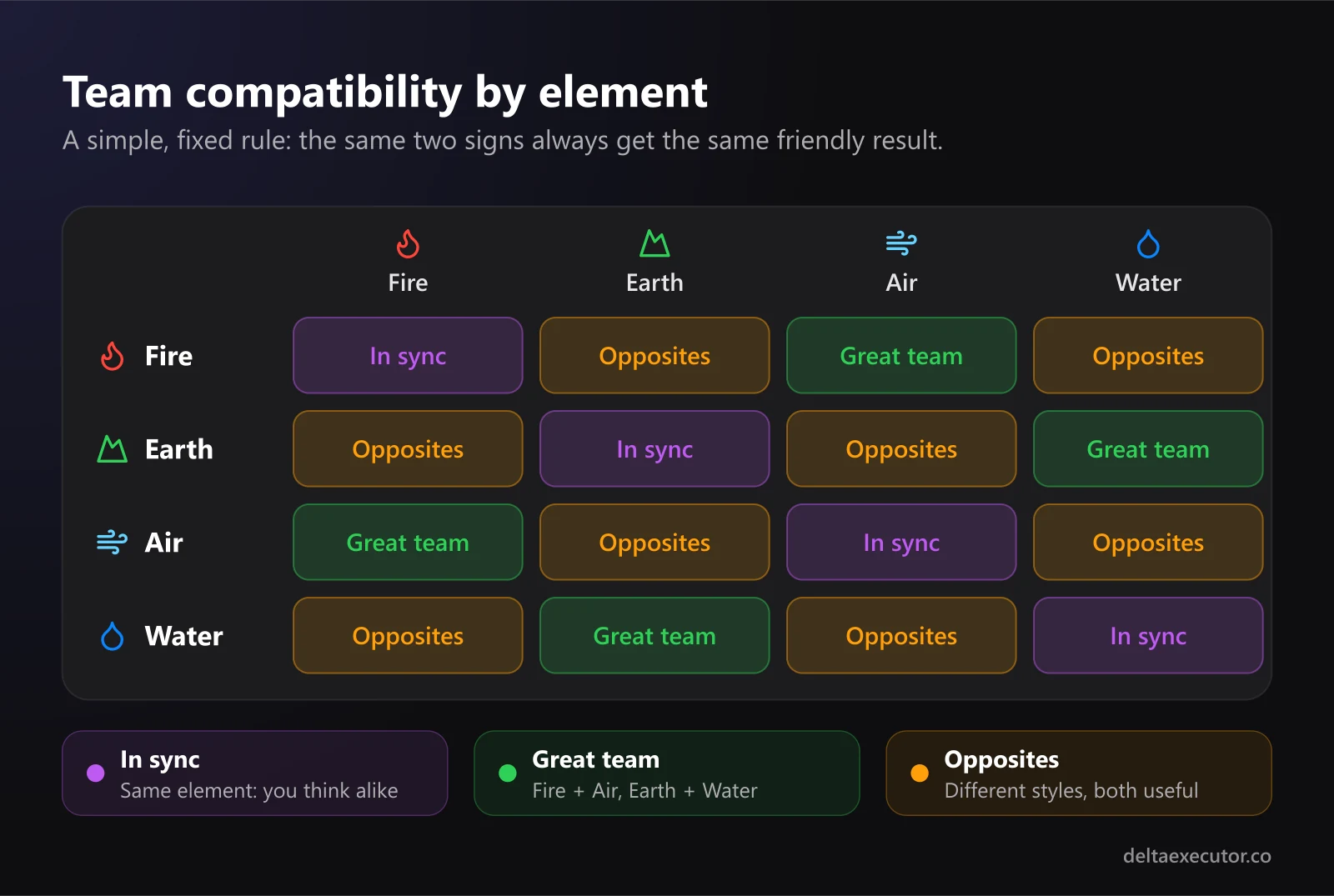
A game doesn't need the full method. A simple, consistent rule based on elements is easier to understand and feels fair:
- Same element: "In sync." You think alike and move fast together.
- Fire with Air, or Earth with Water: "Great team." Traditionally complementary elements fill each other's gaps.
- Any other pair: "Opposites." Different styles, which suits puzzles that need two approaches.
Notice that every result is positive. Nobody should leave your game feeling that their friend is a "bad match."
Keep It About Friendship
Frame compatibility as teamwork, not romance. Roblox's Community Standards say the platform isn't a place to seek romantic connections, and they prohibit pursuing or soliciting romantic relationships. "How well do you two work as a team?" fits the rules and still gives players something fun to compare.
The Privacy Rule: Never Ask for Birthdays
This matters more than any feature. A real birth chart needs a full birth date, an exact birth time and a birthplace, and that's personal information. Roblox restricts sharing and requesting personal information depending on a user's age, and its chat filters block it for younger players.
So in your game:
- Let players pick their sign from a menu instead of typing a birthday
- Never ask for a birth time or city, even "just for accuracy"
- Don't store anything beyond the chosen sign
- Label results as just for fun. Both astrology sites above describe their own readings as entertainment, and your game should too.
If a player wants a real chart, that's something they can explore on their own outside Roblox. Your game only needs a sign.
Building It in Luau
A Zodiac Module
Put the sign data and the compatibility rule in one ModuleScript so every script uses the same logic. Create a ModuleScript named Zodiac in ReplicatedStorage:
local Zodiac = {}

local ELEMENTS = {
	Aries = "Fire", Leo = "Fire", Sagittarius = "Fire",
	Taurus = "Earth", Virgo = "Earth", Capricorn = "Earth",
	Gemini = "Air", Libra = "Air", Aquarius = "Air",
	Cancer = "Water", Scorpio = "Water", Pisces = "Water",
}

local PARTNER_ELEMENT = { Fire = "Air", Air = "Fire", Earth = "Water", Water = "Earth" }

function Zodiac.isSign(sign)
	return ELEMENTS[sign] ~= nil
end

function Zodiac.teamResult(signA, signB)
	local a, b = ELEMENTS[signA], ELEMENTS[signB]
	if not a or not b then
		return nil
	end
	if a == b then
		return "In sync", "You think alike and move fast together."
	elseif PARTNER_ELEMENT[a] == b then
		return "Great team", "Your strengths fill each other's gaps."
	else
		return "Opposites", "Different styles. Perfect for tricky puzzles."
	end
end

return Zodiac
Because the rule is deterministic, the same two signs always get the same result. Players notice when a "compatibility test" gives different answers each time, and they stop trusting it.
Saving a Player's Choice Safely
When a player picks a sign in your UI, a LocalScript sends it to the server through a RemoteEvent named ChooseSign. The server must check the value before saving it:
-- Script in ServerScriptService
local ReplicatedStorage = game:GetService("ReplicatedStorage")
local Zodiac = require(ReplicatedStorage.Zodiac)
local chooseSign = ReplicatedStorage.ChooseSign

chooseSign.OnServerEvent:Connect(function(player, sign)
	if typeof(sign) == "string" and Zodiac.isSign(sign) then
		player:SetAttribute("ZodiacSign", sign)
	end
end)
Never trust what a client sends. Exploiters can fire any RemoteEvent with any value, so without that check someone could save a fake sign, or a huge string, to their player. Our guide to how Roblox anti-cheat works explains why server-side validation is the real defense.
Making It Look Like the Stars
- Constellation decals: Draw each constellation as white dots and thin lines on a transparent PNG, then use it on walls, floors and signs. Our guide to custom decals and textures covers the upload rules and sizes.
- Glyphs as images: Zodiac symbols like ♈ and ♉ don't display in every font, so make them small images instead of typing them as text.
- A rotating sky: A large dome with a star texture that rotates slowly overhead makes any hub feel like a planetarium.
- Ambient music: A slow, spacey instrumental track sets the mood. See how to get original music for your game.
- Element colors: Give each element a consistent color, such as red for Fire, green for Earth, cyan for Air and blue for Water, so players learn the system at a glance.
Frequently Asked Questions
Can my Roblox game calculate a real birth chart?
It shouldn't. A real chart needs a birth date, birth time and birthplace, which is personal information you shouldn't collect from players. Let players choose their sign instead.
Why do zodiac date ranges differ between websites?
The Sun enters each sign at a slightly different moment each year, so the boundary days can shift by one. That's another reason to let players pick their sign rather than calculating it from a date.
Can I make a "love compatibility" game?
Not in that form. Roblox prohibits pursuing romantic relationships on the platform. Build "team" or "friendship" compatibility instead, which is just as fun to share.
Should compatibility results be random?
No. Use a fixed rule, like the element system above, so the same two signs always get the same answer. Random results feel broken the second time players try them.
Do I need to say it's just for fun?
Yes, it's good practice. Even dedicated astrology sites label their readings as entertainment. A short line on the results screen sets the right expectations.
The Bottom Line
A zodiac theme gives your Roblox game instant structure: twelve signs, four elements and a sky full of visual ideas. Get the basic details right, keep compatibility friendly and consistent, validate everything on the server, and never ask players for their birthday. Do that, and you have a theme players will want to share with their friends.
Building out your game? Learn how to promote it with strong icons and thumbnails, add voice acting to your NPCs, or browse more guides on our blog.