
You spent months building your Roblox game. You publish it, and almost nobody plays. Most of the time the game isn't the problem. The problem is that players scroll past it in under a second, because the icon is blurry, the thumbnails look like Studio screenshots, and nobody outside Roblox knows the game exists.
This guide covers the three things that decide whether people click: your icon, your thumbnail set, and the short videos you post outside Roblox. Every spec below comes from Roblox's own Creator documentation.
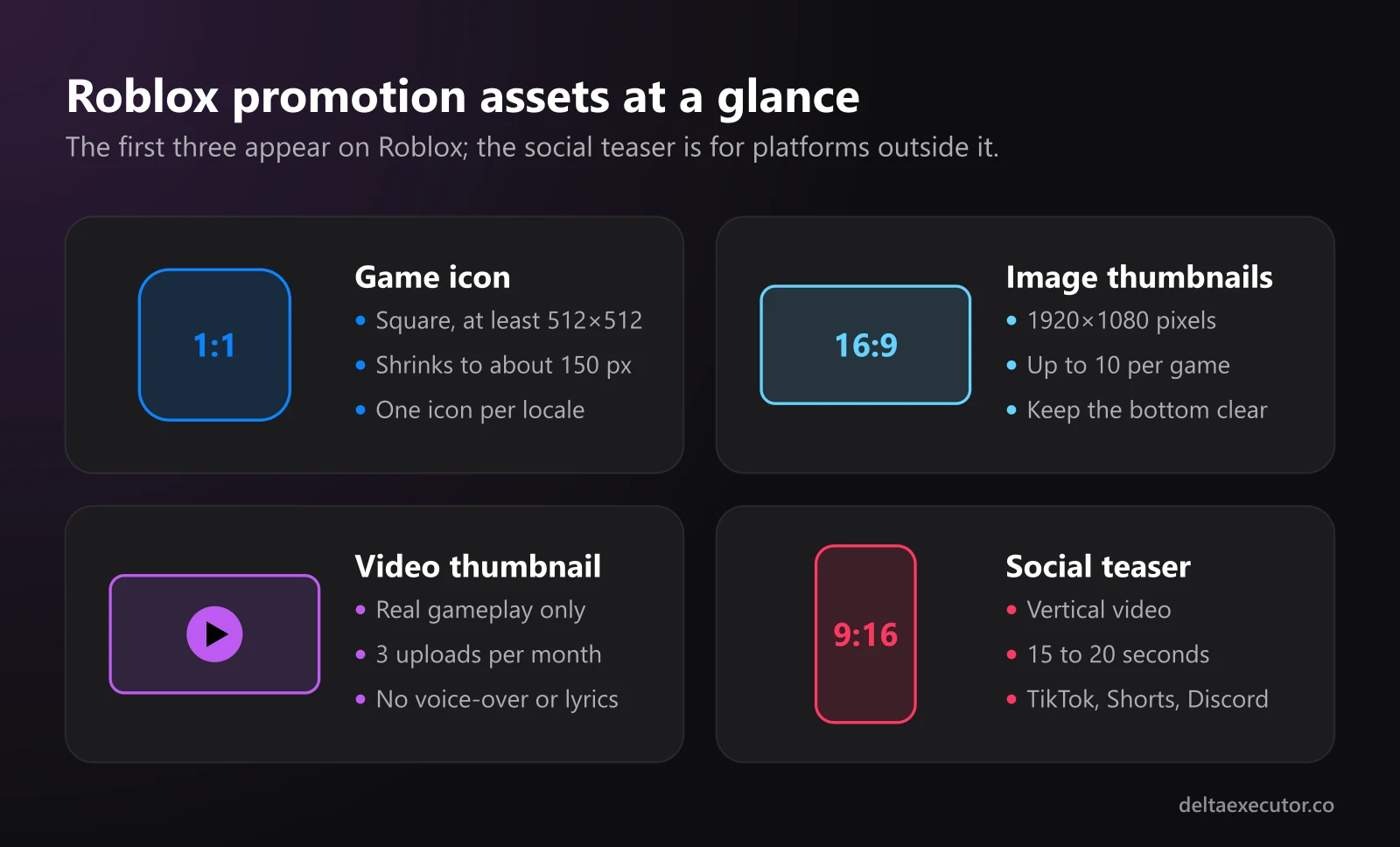
Step 1: Fix Your Icon First
The icon is the first thing players see in search results, on the Home page and in friend activity. It is also the smallest, which is why so many developers get it wrong.
| Requirement | Detail |
|---|---|
| Shape | Square |
| Size | At least 512×512 pixels |
| Smallest display size | About 150×150 pixels |
| How many | One per locale |
| Moderation | Must be approved before other users see it |
Because the icon shrinks to roughly 150 pixels in some places, details that look great at full size turn into noise. Design for the small version:
- One focal subject. A single character, item or creature reads better than a crowded scene.
- Strong contrast. Bright, saturated colors suit fantasy and simulator games; high contrast suits horror.
- Little or no text. If you need a word, keep it big and short.
- Match the game. An icon that promises something the game doesn't have gets clicks, then quick exits.
To change it, open the Creator Dashboard, select your game, go to Configurations > Places, choose the start place (marked with a star), select Icon, upload your file and save.
Step 2: Build a Thumbnail Set That Converts
Thumbnails appear on your game's detail page, and Roblox can also show them on the Home page. You can add up to 10 images or videos.
Image Thumbnails
- Aspect ratio: 16:9. Anything else gets stretched to fit.
- Resolution: 1920×1080 is recommended.
- Formats: .jpg, .gif, .png, .tga or .bmp.
- Layout: Keep important elements away from the bottom edge, where player-count information can cover them.
- Text: Use it sparingly and only to describe gameplay.
Roblox also runs thumbnail personalization on the Home page, which picks the thumbnail most likely to get a click from each player. It needs 2 to 5 active thumbnails to start. Roblox recommends keeping several active and testing new ones with each major update instead of committing to one image early.
Video Thumbnails
Videos are free to upload but limited to 3 per month, and rejected uploads still count toward that limit. Once approved, a video shows first on your detail page. Video thumbnails aren't supported on Xbox, PlayStation or VR headsets, so those players see your images instead.
The rules for video are strict, because Roblox requires footage to be authentic:
| Allowed | Not allowed |
|---|---|
| Real gameplay from different camera angles | Features, UI or interactions that aren't in the game |
| Minor post-processing | Graphics enhanced beyond what players will see |
| Logo or branding overlays | Real-life footage or other external content |
| Highlight reels of real mechanics | Voice-overs, narration or voice chat |
| In-game UI text | Music with lyrics |
| Music from Roblox's catalog | Ads, discounts or "free" claims |
In short, a Roblox video thumbnail has to be captured gameplay. Cinematic renders and AI-generated clips don't belong here. Save them for social media (see Step 3).
Recording Clean Gameplay Footage
- Set up a test server with friends or alt accounts so the world feels active
- Use a free camera to frame shots; as the experience owner, you can toggle Roblox's freecam in a live session
- Hide UI elements that clutter the shot, unless the UI is part of what you're showing
- Record at 1920×1080 with a free tool like OBS Studio
- Cut a 15 to 30 second highlight reel that shows the core loop in the first few seconds
Step 3: Make Short Video Teasers for Outside Roblox
Most new players for small games don't come from Roblox search. They come from TikTok, YouTube Shorts and Discord, where a strong vertical clip can reach players who have never heard of your game. These platforms don't have Roblox's thumbnail rules, so you can be more creative, as long as you stay honest about what the game is.
There are two kinds of teaser, and the best ones combine them:
Real gameplay clips. Fast cuts of your best moments: a boss reveal, a big obby jump, a rare drop. These build trust because players see exactly what they'll get.
Cinematic hooks. A short stylized shot that grabs attention in the first two seconds, like your key art coming to life or a camera sweeping over your map. This is where an AI video tool saves hours of animation work.
Turning Your Key Art Into a Moving Hook
If you can't animate in Blender, you can generate short clips from the art you already have. Imgveo's AI video generator supports three modes that fit game promotion well:
- Image-to-Video animates an uploaded image, such as your thumbnail or a character render
- Text-to-Video creates a clip from a written prompt
- Start-End Frame lets you set the first and last frame, so a clip can start on a scene and end exactly on your logo
At the time of writing, the free plan includes 20 credits per month with 480p, 4-second clips, which is enough to test ideas. Paid plans go up to 1080p and 10-second clips. Imgveo's terms state that videos you generate are owned by you. Its FAQ also covers commercial use, so read that before putting clips in paid ads.
Teaser Shot Ideas
| Shot | Mode | Example prompt |
|---|---|---|
| Animated key art | Image-to-Video | Slow camera push-in, capes flutter in the wind, glowing sparks drift upward, cinematic lighting |
| Logo reveal | Start-End Frame | Camera flies through clouds over a blocky island and settles on the game logo |
| Map flyover | Text-to-Video | Aerial drone shot over a colorful low-poly island at sunset, toy-like 3D style |
| Boss intro | Image-to-Video | The giant robot raises its head, eyes glow red, dust falls from the ceiling |
| Horror tease | Image-to-Video | Flickering hallway light, a shadow moves at the far end, slow zoom in |
A Simple Teaser Structure
For a 15 to 20 second vertical video:
- 0 to 3 seconds: The cinematic hook (animated key art or logo reveal)
- 3 to 15 seconds: Real gameplay, cut to the beat
- Last 2 to 3 seconds: Game name and a clear call to action, like "Search [game name] on Roblox"
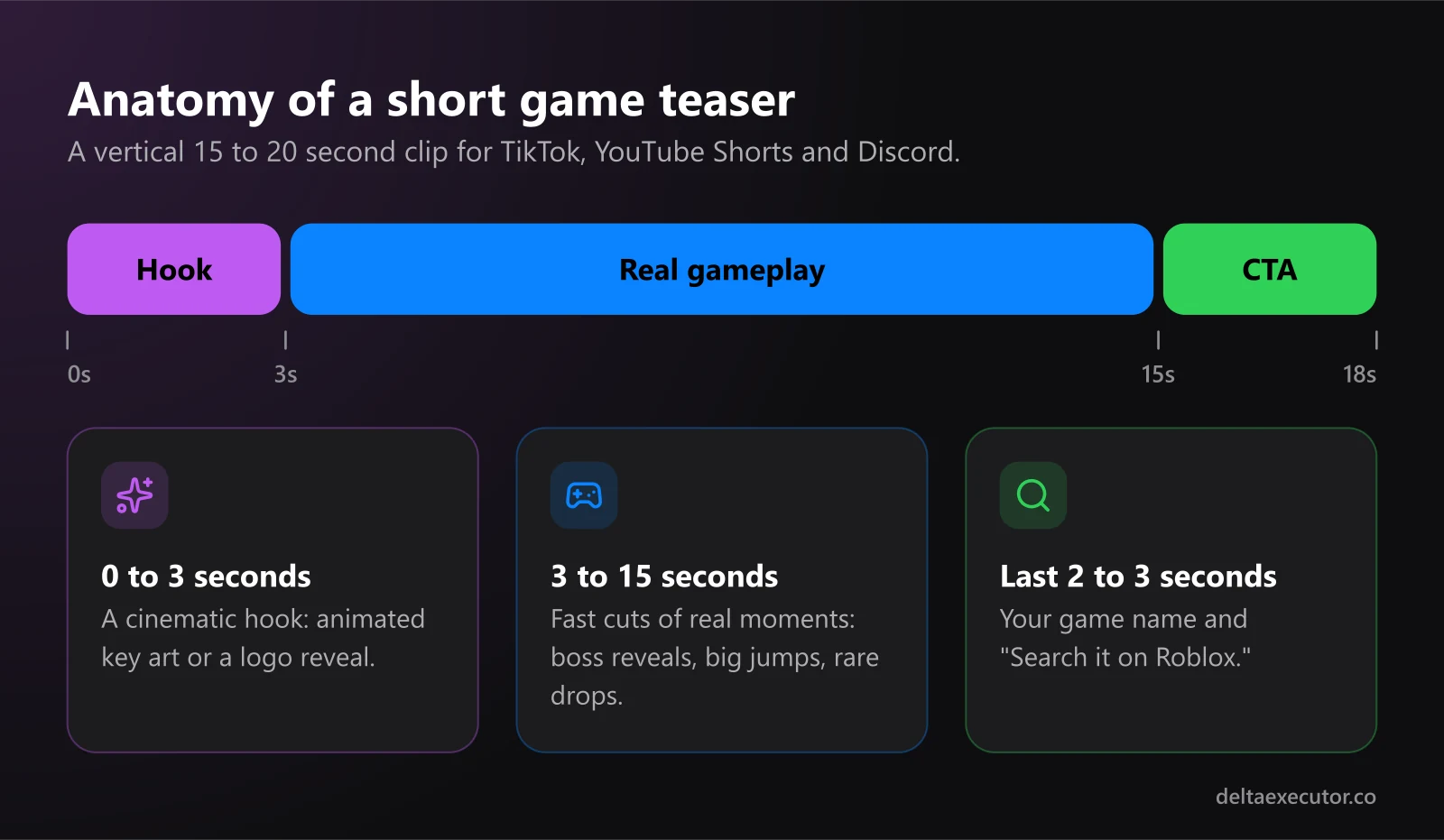
Always cut to real gameplay after the hook. Players who feel misled leave within seconds, and short sessions don't help your game get recommended. Both TikTok and YouTube also ask creators to disclose realistic AI-generated content, so turning on the platform's AI label is the safe default.
For the soundtrack, an original instrumental track works well and avoids copyright strikes. Our guide on making and uploading your own Roblox music covers how to get one.
Step 4: Post Where Roblox Players Actually Are
- TikTok and YouTube Shorts: Post vertical 9:16 clips consistently, ideally around each update. The first two seconds decide whether people keep watching.
- Your Discord server: Pin a short trailer in the welcome channel and post a clip with every update announcement.
- X and developer communities: Share work-in-progress clips. Other developers often repost good-looking progress.
- Your own thumbnails: Each time you release a big update, swap in fresh thumbnails and let personalization test them.
Quick Reference Checklist
| Asset | Spec | Where it's used |
|---|---|---|
| Icon | Square, at least 512×512 | Search, Home, friend activity |
| Image thumbnails | 16:9, 1920×1080, up to 10 total | Detail page, Home page |
| Video thumbnail | Real gameplay only, 3 uploads per month | Detail page, Home page |
| Social teaser | Vertical 9:16, 15 to 20 seconds | TikTok, Shorts, Discord |
Frequently Asked Questions
Can I use AI-generated art for my Roblox thumbnails?
Roblox moderates every thumbnail and asks that imagery accurately set player expectations. Stylized renders are common on image thumbnails, but if the art shows things your game doesn't have, you risk rejection and disappointed players. Video thumbnails are stricter and must be real gameplay.
Why does my thumbnail look stretched?
It isn't 16:9. Roblox stretches non-16:9 images to fit, so export at 1920×1080.
Can my video thumbnail use a popular song?
No. Video thumbnails can't include music with lyrics, and the music should come from Roblox's catalog. On TikTok and Shorts you have more freedom, but you still need the rights to whatever you use.
How many video thumbnails can I upload?
Three per month. Rejected videos still count, so check the rules before you upload.
Do I need a big budget to promote a Roblox game?
No. A sharp icon, a tested thumbnail set and a steady stream of short clips cost mostly time. Free tools and free tiers cover almost everything in this guide.
The Bottom Line
On Roblox, players judge your game by its icon and thumbnails before they ever join, so treat those as part of the game. Keep everything on Roblox authentic, use short creative teasers to pull players in from outside, and refresh your art with every update.
Building your own game is also the best way to understand how scripts behave on the server and the client. Learn more in how Roblox anti-cheat works, or browse the rest of our blog.