
You copy a "working" music ID from a list of 500 Roblox song codes, paste it into a boombox or a script, and hear nothing. You try the next ID and get the same result. Most of those lists are dead, and the IDs in them stopped working years ago.
This guide explains why that happens, which audio still plays in 2026, and how to get music that nobody can take away from you: original tracks you upload yourself.
Why Most Roblox Music IDs Stopped Working
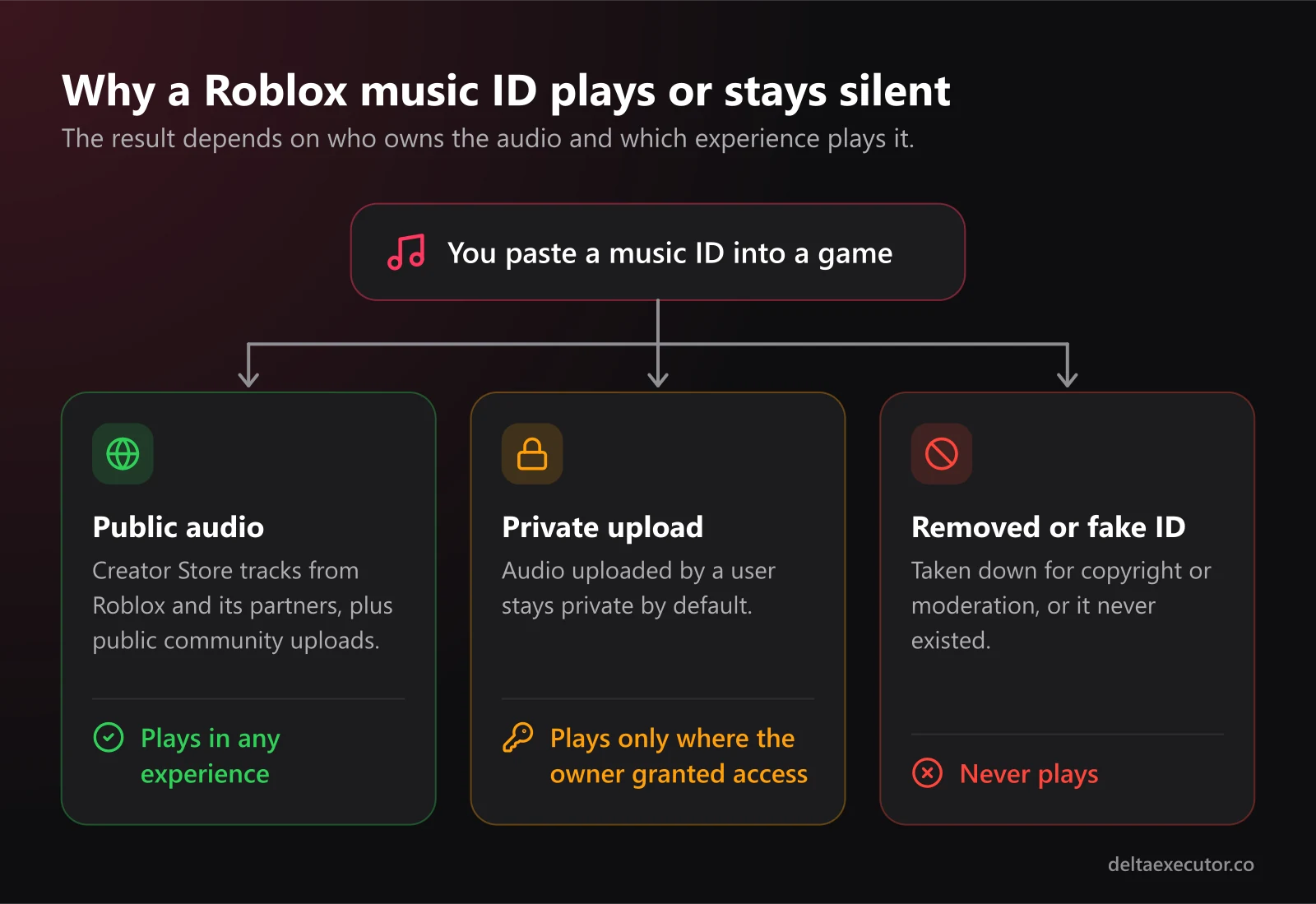
The short answer is audio privacy. In March 2022, Roblox switched user-uploaded audio longer than six seconds to private. A private audio asset only plays in experiences owned by the uploader or in experiences the uploader has explicitly granted access to. Everywhere else, it stays silent.
Copyright enforcement removed even more. Popular chart songs that were uploaded without permission got taken down, and the accounts that uploaded them were often moderated.
So when an ID fails, the cause is usually one of these:
- The audio is private and the game you're in doesn't have permission to use it
- The audio was removed for copyright or moderation reasons
- The ID was never real, because many "music code" sites recycle or invent numbers to fill their pages
If you open the Developer Console (F9 on PC), a private asset typically shows a load error saying the user is not authorized to access the asset. That message tells you the ID exists but is locked to other experiences.
What Still Plays in 2026
| Audio source | Plays in your own game | Plays in other people's games | Notes |
|---|---|---|---|
| Creator Store music from Roblox and its partners | Yes | Yes | Free to use, licensed for Roblox |
| Public community uploads on the Creator Store | Yes | Yes | Quality varies |
| Your own uploads | Yes, once moderation approves them | Only if you grant that experience access | Private by default |
| Random IDs from code lists | Rarely | Rarely | Mostly private or deleted |
If you build games, you have two reliable options: use the licensed library, or upload your own music. Both are covered below.
Option 1: Use the Creator Store's Licensed Library
Roblox's Creator Store, found in the Toolbox in Roblox Studio, holds over 100,000 sound effects and music tracks from Roblox and its audio partners. These are cleared for use on the platform and play in any experience.
- Open Roblox Studio and open the Toolbox
- Switch to the Creator Store tab and choose Audio
- Filter by Music and preview tracks
- Copy the Asset ID of the one you want
- Paste it into an
AudioPlayer'sAssetIdproperty, or aSound'sSoundIdasrbxassetid://ID
The downside is that thousands of other games use the same tracks. Every simulator lobby starts to sound alike, so a recognizable theme is hard to build this way.
Option 2: Upload Your Own Original Music
Original music fixes both problems. It plays in your game because you own it, and players start to link it with your experience. Before you make anything, know what Roblox accepts.
Roblox Audio Upload Requirements
| Requirement | Limit |
|---|---|
| File formats | .mp3, .ogg, .wav, .flac |
| File size | Under 20 MB |
| Length | Under 7 minutes |
| Sample rate | 48 kHz or lower |
| Channels | Mono, stereo, 3.0 or 5.1 surround |
| Free uploads (ID-verified account) | 2,000 per 30 days |
| Free uploads (unverified account) | 100 per 30 days |
You must also hold the legal rights to whatever you upload, and every file goes through moderation before you can use it across projects. Songs uploaded by someone else, even if you "found them free on YouTube," don't qualify.
Where to Get Tracks You Actually Own
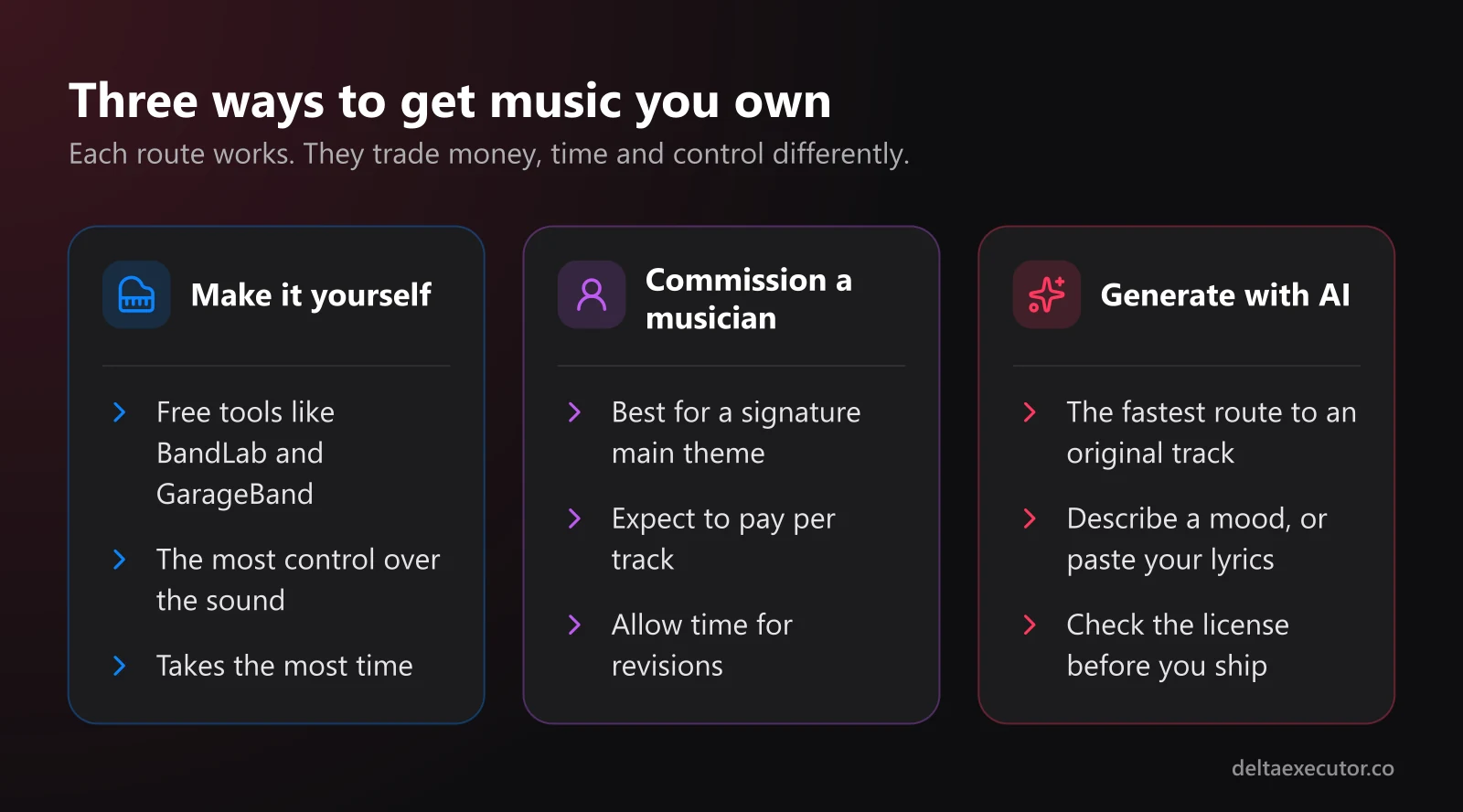
You have three realistic routes:
Make it yourself. Free tools like BandLab and GarageBand are enough for simple loops. This route takes the most time and gives you the most control.
Commission a musician. It's the best choice for a signature main theme, but expect to pay per track and wait for revisions.
Generate it with AI. If you can't play an instrument and don't have a budget for a composer, an AI generator is the fastest way to get a track nobody else has uploaded. One option is Tunora's AI music generator: you describe a mood, genre or scene, or paste your own lyrics, and it returns two original songs per generation, with vocals or as instrumentals. You can play them in the browser and download them as MP3 files, which Roblox accepts directly.
Check the license before you ship. At the time of writing, Tunora's free tier is for personal use only, and the commercial-use license comes with its paid plans. If your experience sells game passes or developer products, treat it as commercial use.
Prompt Ideas for Game Music
Clear prompts get usable results faster. Name the genre, the mood, the tempo, and whether you want vocals.
| Where it plays | Example prompt |
|---|---|
| Main menu or lobby | Chill lo-fi beat, warm piano, soft vinyl crackle, 85 BPM, instrumental |
| Obby stages | Upbeat 8-bit chiptune, bouncy and playful, 140 BPM, instrumental |
| Horror game | Dark ambient drone, low strings, distant metallic hits, slow, no melody |
| Simulator or shop | Bright synth-pop, cheerful, light percussion, 110 BPM, instrumental |
| Boss fight | Epic orchestral battle theme, heavy drums, choir, intense, 150 BPM |
| Roleplay hangout | Summer pop song with vocals about a beach day with friends |
A few tips that save time:
- Keep background music instrumental. Vocals compete with in-game chat, dialogue and sound effects.
- Ask for a specific BPM. It makes the track easier to loop and to match with gameplay pacing.
- Compare both versions. One of the two generations usually loops more cleanly than the other.
- Trim silence at the start and end so the loop doesn't have a noticeable gap.
Uploading and Using Your Track
- Download the track as MP3 and confirm it meets the limits in the table above
- Upload it through Roblox Studio's Asset Manager or the Creator Dashboard at create.roblox.com
- Give it a clear, descriptive title and wait for moderation to approve it
- If your game belongs to a group, upload under that group, or grant the experience permission on the asset's permissions page
- Copy the new asset ID and use it in your game
Here is a minimal server script that plays looping background music for everyone in the server:
-- Script inside ServerScriptService
local music = Instance.new("Sound")
music.Name = "BackgroundMusic"
music.SoundId = "rbxassetid://YOUR_ASSET_ID"
music.Looped = true
music.Volume = 0.4
music.Parent = workspace
music:Play()
A Sound parented to workspace (rather than to a part) plays at the same volume for every player, regardless of position. For music that changes by zone, swap the SoundId when a player enters a new area, or use AudioPlayer for more control over playback.
Option 3: Playing Audio Locally With Delta Executor
If you use Delta Executor, you can run a similar script on your own client to play music while you play someone else's game:
local sound = Instance.new("Sound")
sound.SoundId = "rbxassetid://ASSET_ID"
sound.Looped = true
sound.Volume = 0.5
sound.Parent = workspace
sound:Play()

-- Run this later to stop it:
-- sound:Destroy()
Two things to know before you try it:
- Only you hear it. Changes made on your client don't replicate to the server, so other players hear nothing. This is the same reason most client-side scripts only affect your own screen. Our guide to advanced script execution techniques covers client vs server behavior in more depth.
- Only public audio loads. In someone else's experience, your private uploads hit the same permission wall as everyone else's. Stick to Creator Store tracks marked as public.
Running any third-party executor breaks Roblox's Terms of Use and can lead to account bans. If you experiment, use an alternate account, never your main.
Frequently Asked Questions
Can I still use copyrighted songs on Roblox?
No. Roblox requires you to have the rights to any audio you upload. Popular songs uploaded without permission get removed, and repeated violations put your account at risk. Use licensed Creator Store tracks or music you own.
Are AI-generated songs allowed on Roblox?
They follow the same rules as any other upload. They must pass moderation, and you need the right to use them. Whether you have that right depends on the generator's license, so read it, especially if your game earns Robux.
How many audio files can I upload for free?
ID-verified accounts can upload 2,000 audio assets per 30 days for free. Unverified accounts get 100. For most solo developers that's far more than needed.
Why does my song play in Studio but not in the live game?
The most common causes are moderation still pending, or the asset belonging to your personal account while the game belongs to a group. Grant the experience access on the asset's permissions page, or re-upload the file under the group.
Do boombox music codes still work?
Only for audio that is public or that the game has permission to use. A boombox in a game you don't own can't play your private uploads, which is why most boombox code lists fail.
The Bottom Line
The giant "Roblox music ID" lists belong to the pre-2022 era. Today, audio that works reliably either comes from Roblox's licensed Creator Store library or is music you own and uploaded yourself. Original tracks take a bit more effort, but they won't vanish from your game overnight, and they give your experience a sound players remember.
Want to do more with scripts? Browse our Roblox script library, learn how loadstring works in Lua, or download Delta Executor to get started.